

Quick Summary
The best used gear for a home studio starts with an audio interface, such as the Mackie Onyx Artist 1-2 at $39.00, plus one versatile condenser microphone. Inspect every input and output before buying, then add acoustic treatment as your budget grows.
- The Mackie Onyx Artist 1-2 is a 2-in, 2-out USB interface with 48V phantom power and is listed at $39.00.
- Test each mic input with phantom power engaged, since a dead 48V rail is a common and costly failure.
- Buy powered monitors as a matched pair with sequential serial numbers when possible.
- Replace used headphone ear pads right away, since worn pads change the seal and bass response.
- Add shipping, tax and likely repairs to the asking price before deciding on any used item.
Table of Contents
- Why Used Gear Makes Sense for a Home Studio
- Used Audio Interface Picks: The Mackie Onyx Artist 1-2
- Used Studio Monitors and Listening Gear to Consider
- Microphones and Acoustic Treatment for Home Recording
- Used Recording Gear for Instruments and Drums
- How to Inspect Used Gear Before You Buy
- Choosing Your First Used Studio Setup Based on Budget
- Building Your Home Studio: Your Next Step
- Frequently Asked Questions
7 Best Used Studio Gear Picks for Home Studios
Last Updated: November 12, 2026
Building a home studio does not have to drain your budget. Used gear lets you get professional-grade recording equipment for a fraction of the new price, and Specialty Traders has over 25 years of experience in the musical instrument industry.
We focus on the core pieces most home studios need: an audio interface, monitoring, microphones and acoustic treatment, and gear for instruments and drums.
Why Used Gear Makes Sense for a Home Studio
Used gear can offer a meaningful price advantage over new equipment.
Used gear does carry trade-offs. Cosmetic wear is common, and you need to confirm that the unit works fully.
Think of used purchases in terms of what the gear does, not how old it is. A well-built converter from a few years back still delivers clean recordings.
Used Audio Interface Picks: The Mackie Onyx Artist 1-2
The audio interface is the heart of any home studio, and the Mackie Onyx Artist 1-2 is our top used pick for beginners and singer-songwriters.
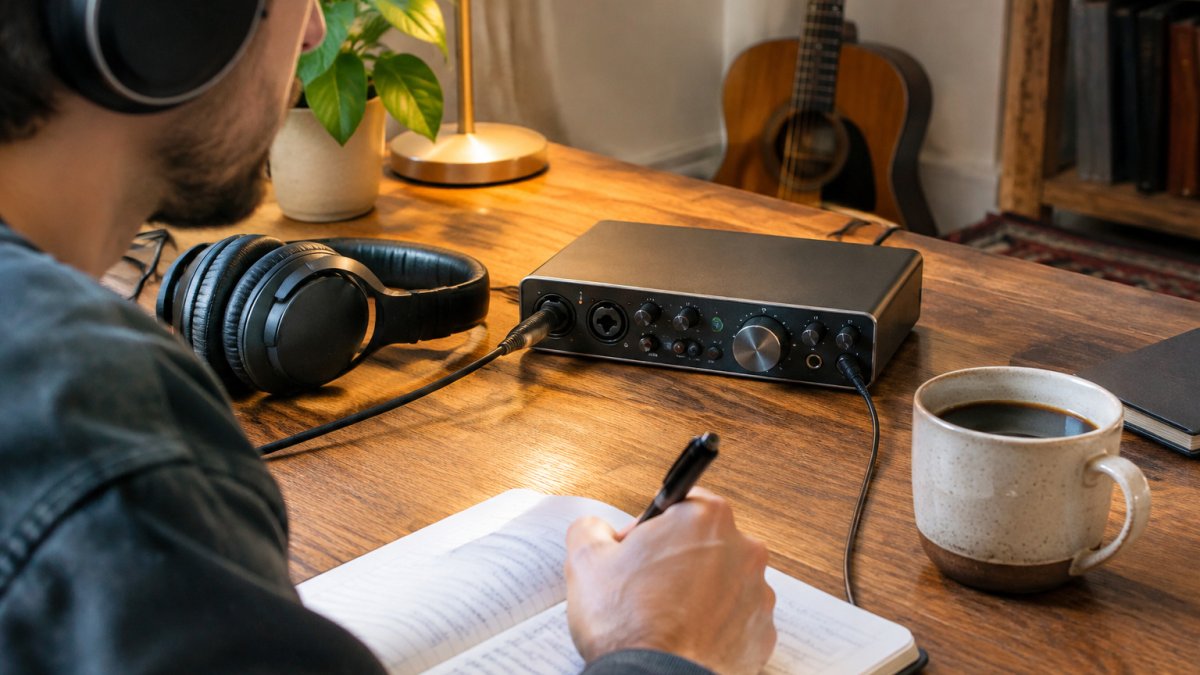
It records at 24-bit/192kHz and offers zero-latency direct monitoring, so you hear your performance without delay.
Pros:
- Onyx mic preamp with high-fidelity performance
- 48V phantom power for studio condenser mics
- Zero-latency direct monitoring and dedicated monitor outputs
- Bus-powered and built to survive day-to-day use
Cons:
- USB 2.0 connectivity
- Single mic input
Price: $39.00 (Mackie Onyx Artist 1-2 2x2 USB Audio Interface Used, product: Mackie Onyx Artist 1-2 used audio interface)
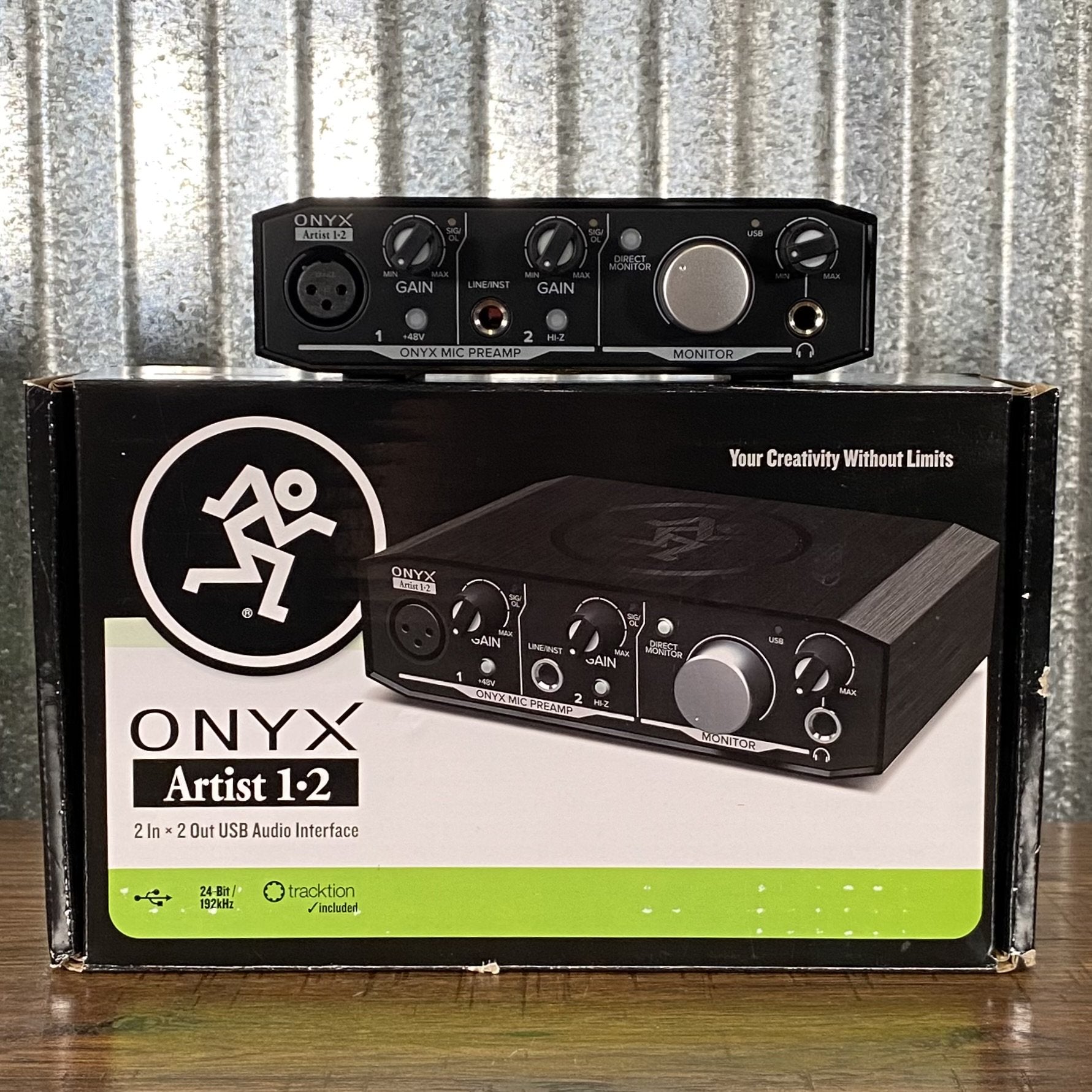
This unit is listed as used, with interface and USB cable only. Minor cosmetic scratches are described in the listing.
Used Studio Monitors and Listening Gear to Consider
Monitoring decisions shape every mix you make, so accurate listening matters more than most beginners expect. The goal is a flat, detailed response you can trust for hours, not a bass-forward sound that flatters tracks but hides problems. Used monitors and headphones can offer meaningful savings versus new equipment.
What to look for in used studio monitors
A nearfield monitor in the 5- to 8-inch woofer range suits most home rooms. Check these points before buying:
- Driver condition: Press gently on the woofer cone and listen for scraping or rubbing from the voice coil. A rubbing coil means the driver is failing and replacement may cost more than the monitor is worth.
- Cabinet and ports: Look for swollen MDF, separated seams, or crushed port tubes. Water damage and dropped corners are common on used pairs and affect resale and resonance.
- Amplifier and controls: On powered monitors, confirm both units power on, that the rear gain and input-select switches move cleanly, and that there is no hum with nothing connected. A hum with no source usually points to a failing power supply.
- Matched pairs: Buy monitors as a matched pair with sequential or close serial numbers when possible. A mismatched pair can have different driver revisions or amplifier boards, which undermines stereo imaging.
Headphones as a second reference
Closed-back headphones are useful for tracking and for checking details late at night, but they are not a substitute for speakers because they remove room interaction. When buying used headphones, replace the ear pads immediately; pads compress over time and change the seal and bass response. Check that both drivers play at equal volume with a mono test tone, and inspect the cable and connector for intermittent channels.
Acoustic treatment belongs in this budget
A treated room improves every recording and every mix decision. The CAD Audio Acousti-Shield AS50 is a stand-mounted acoustical shield that reduces reflections and echo, priced at $69.00. Treat the monitoring budget as monitors plus treatment, not monitors alone.
A note on practice amps as monitors
The Boss Katana 25 is a compact 25-watt combo with six amp characters, over 60 onboard effects, and built-in Bluetooth, listed at $199.99. It is a fine practice and reference amp for guitarists, and its selectable 0.5W power setting suits bedroom recording. It is not a studio monitor, though: its speaker and voicing are designed to flatter guitar, not to reveal mix problems. Use it to check how a guitar part sits in a band context, and keep a separate pair of monitors or headphones for balance decisions.
Watch out: a used monitor that powers on can still have a blown tweeter or a dead amplifier channel, so play a familiar full-range track through each speaker individually before paying.
Microphones and Acoustic Treatment for Home Recording
A microphone and a treated room do more for your sound than almost any other purchase.
The AKG P220 is a large-diaphragm condenser suited to vocals, acoustic guitar and brass. If you want a different sound character, you can also compare a ribbon microphone for vocals and instruments.
For reducing reflections in a small room, the CAD Audio Acousti-Shield AS50 stands behind the mic and absorbs unwanted echo.
The CAD Audio WX3000 UHF Wireless Cardioid Dynamic Handheld Microphone System is a demo unit priced at $349.00 with manufacturer's warranty included.
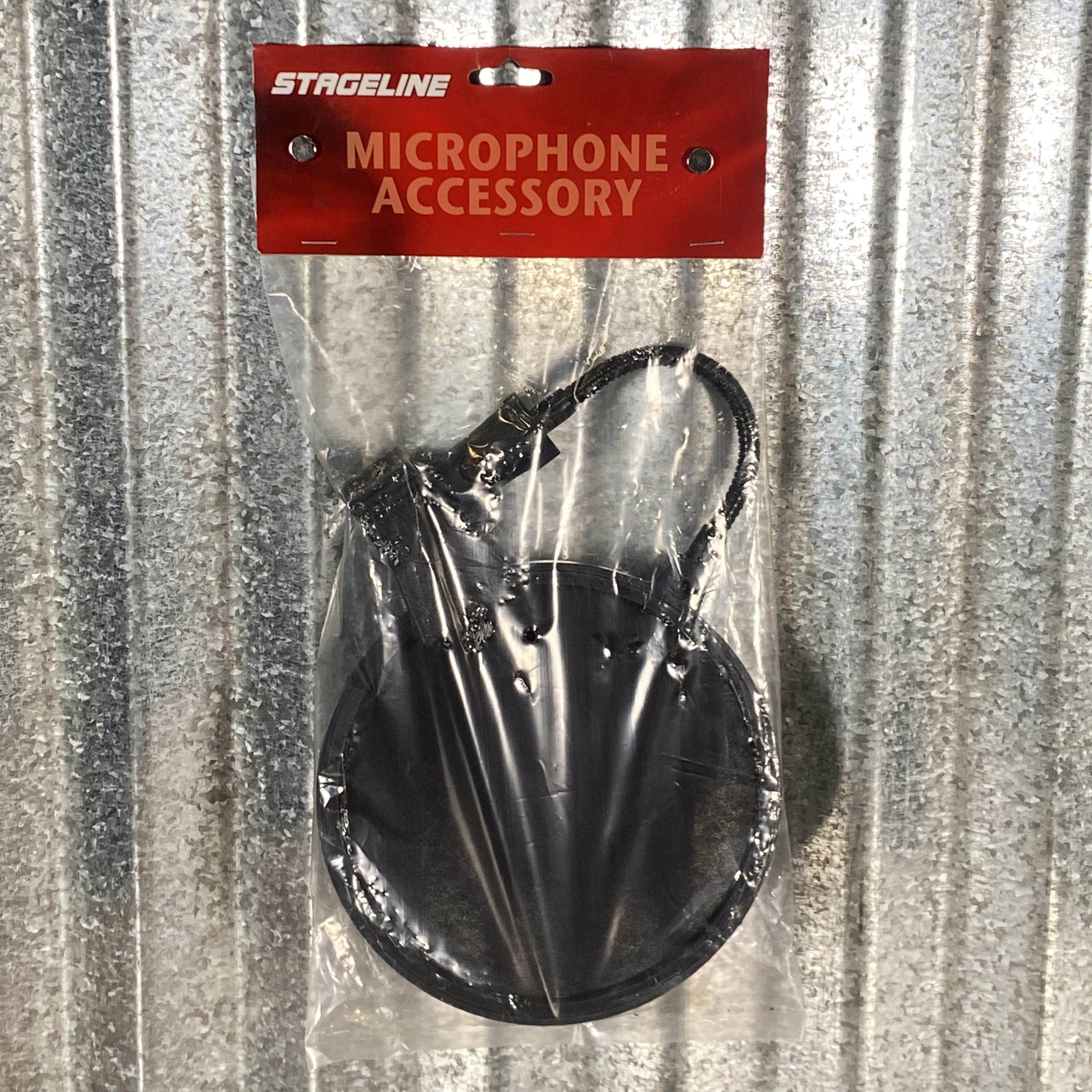
Accessories matter too, such as a boom stand to keep the microphone positioned properly. A pop filter screen with gooseneck clamp helps tame plosives on vocal takes.
Used Recording Gear for Instruments and Drums
If your studio records instruments as well as vocals, consider a drum machine or sampler to build beats without a full kit. For practical steps on preparing a guitar for studio recording, see how to set up a guitar for studio recording.
For guitarists recording direct, the Roland JC-40 Jazz Chorus delivers a clean stereo tone and stereo input for modelers and effects pedals. It is priced at $769.99 and suits players who build their sound with stompboxes.
Match the instrument to your genre. A drum machine fits electronic production, while a stereo amp suits guitar-driven styles.
How to Inspect Used Gear Before You Buy
Inspection is the step most buyers skip, and it is where problems hide. A unit that powers on can still have failed inputs, noisy converters, or a dead phantom power rail. Work through the checks below in order, and test each channel rather than assuming the unit works because it lights up.
Step 1: Confirm the model and revision
Identify the exact model and revision before testing. Interface and monitor revisions change converter chips, driver support, and connector types, and a seller's photos may show an older board. Ask for the serial number and confirm current operating-system support and driver availability from the manufacturer's site.
Step 2: Test every input and output
Bring or request a test that exercises each connection:
- Mic inputs: Connect a dynamic microphone and confirm signal on every mic channel. Then engage phantom power and confirm a condenser microphone receives power; a dead 48V rail is a common and expensive failure.
- Instrument inputs: Plug in a guitar or bass and confirm the Hi-Z switch changes level and tone as expected.
- Line inputs and outputs: Feed a known source into each line input and confirm metering, then connect monitors or headphones to each output and confirm both channels play.
- Digital connections: For interfaces with USB, USB-C, or Thunderbolt, confirm the computer recognizes the device and that audio plays in both directions. For optical or S/PDIF, confirm the sample-rate setting locks.
Step 3: Listen for noise and distortion
Record a short take with inputs at a normal level and listen for hiss, crackle, hum, or dropouts. Then raise the gain with nothing connected and listen again; some noise floor is normal, but crackle that changes when you touch a knob points to a dirty or failing potentiometer. Exercise every knob, fader, and switch through its full range while monitoring for pops and dead spots.
Step 4: Inspect physical condition and connectors
Look for cracked housings, loose knobs, worn faders, bent rack ears, and damaged jacks. Wiggle each cable at the connector while audio plays; intermittent channels often trace to a worn jack rather than the cable. On microphones, check the grille for dents and the body for corrosion, and confirm the capsule is not loose.
Step 5: Confirm what ships in the box
Accessories change the real cost. The Mackie Onyx Artist 1-2 listing ships with the interface and USB cable only, so confirm whether a power supply, rack hardware, shock mount, or case is included. Missing power supplies and proprietary cables can be hard to source and add to the total cost.
Step 6: Verify the transaction terms
Before paying, confirm the seller's return window, whether the item carries any warranty, and how shipping damage is handled. Keep the listing description and photos in case the item arrives not as described. For demo units, such as the CAD Audio WX3000 UHF wireless system listed at $349.00 with a manufacturer's warranty, confirm what the warranty covers and whether it transfers.
Step 7: Plan for total cost of ownership
Add shipping, tax, replacement parts, and any calibration or repair to the asking price before deciding. A used monitor pair that needs new ear pads or a replacement driver may cost more than a clean pair.
Watch out: a seller who will not demonstrate every input and output, or who pressures you to pay outside a protected method, is the single biggest red flag in a used-gear transaction.
Choosing Your First Used Studio Setup Based on Budget
Your budget determines which pieces to prioritize. Here is a practical way to think about it.
| Budget Tier | Priority Purchases | Example Picks |
|---|---|---|
| Under $200 | Interface, one microphone | Mackie Onyx Artist 1-2 ($39.00), Audient EVO SR1 ($59.00) |
| $200 to $500 | Add treatment and stand | AKG P220 ($109.99), CAD Acousti-Shield AS50 ($69.00) |
| $500 and up | Instruments and specialty gear | Roland JC-40 ($769.99), Roland TR-1000 ($2,699.99) |
Start with the interface and one good microphone. Add acoustic treatment next, since a treated room improves every recording you make. Save instrument-specific gear for when your workflow demands it.
Used Studio Gear Prices by Budget Tier
Building Your Home Studio: Your Next Step
Used gear lets you build a capable home studio without overspending, but the right pieces depend on what you record. Start with an interface and a reliable microphone, inspect everything you buy, and expand as your projects grow. Browse the Specialty Traders used and new catalog to find the pieces that fit your setup and budget.
Frequently Asked Questions
What is the best gear for a home studio?
A solid home studio starts with an audio interface, a condenser microphone, studio monitors or headphones, and a DAW on your computer. Used gear can cover most of this list at lower cost. Prioritize the audio interface and monitoring first, because they affect every recording you make. A microphone and acoustic treatment come next, since the room and mic shape your sound more than most upgrades will.
Is it worth buying a used audio interface?
Yes, a used audio interface is often a good buy if it is in working order and includes the cables it needs. Check the inputs and outputs, confirm the USB connection works, and make sure the drivers support your computer's operating system. The used Mackie Onyx Artist 1-2 is listed at $39.00. Test every input and headphone output before relying on it for sessions.
What should I check before buying used recording gear?
Inspect the physical condition first, including connectors, knobs, switches and any cracks in the housing. Test each function you plan to use, such as phantom power for condenser mics or the headphone output for monitoring. Ask whether the item includes its power supply and cables. Buy from a seller with a clear return policy so you can send back gear that does not match its description.
What studio equipment should I buy first on a budget?
Start with an audio interface, since it connects everything else to your computer. Next, add headphones or studio monitors so you can hear what you record accurately. A microphone comes after that, followed by basic acoustic treatment to reduce echo. Buying used lets you spend on the audio interface and monitoring while keeping total cost low.
